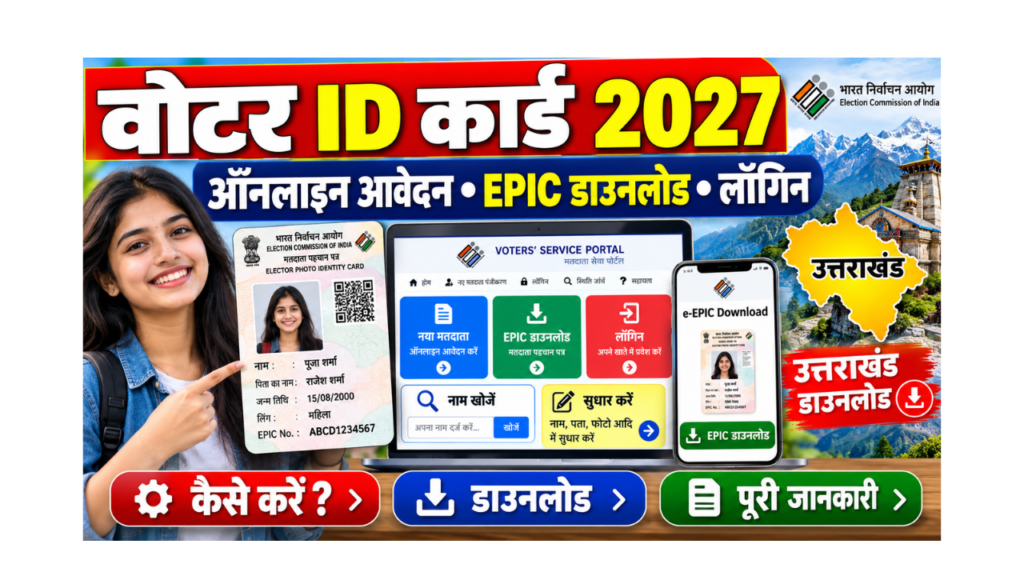
A Voter ID card (also called EPIC, Elector Photo Identity Card) lets you vote in elections and is also accepted as an identity proof in many places. In 2026, the Election Commission of India (ECI) has made most voter services available online and on one app.
In this guide, you will learn in very simple words how to do voter ID card apply online, how to login, how to do voter ID download (e-EPIC), how to search your name in the voter list, how to correct details, and how to do voter ID download in Uttarakhand after the 2026 revision of the voter list.
| Point | Details |
|---|---|
| Issued by | Election Commission of India (through state election offices) |
| Card name | EPIC (Elector Photo Identity Card) |
| Minimum age | 18 years on the qualifying date (17+ can apply in advance) |
| Apply online | voters.eci.gov.in or the ECINET app (Form 6) |
| Correction / shifting | Form 8 |
| Digital card | e-EPIC (PDF), valid as a digital voter ID |
| Name search | electoralsearch.eci.gov.in |
| Fee | Free |
| Helpline | 1950 (toll free) |
| Official portal | Click Here |
What Is New in 2026?
- ECINET app: The Election Commission launched ECINET on 22 January 2026. It brings over 40 older apps (like the Voter Helpline app) into one app with one login. You can apply, search your name, download e-EPIC and even book a call with your Booth Level Officer (BLO).
- Special Intensive Revision (SIR) 2026: Voter lists in many states are being checked house to house by BLOs. Phase III covers 16 states and 3 UTs, including Uttarakhand.
- Uttarakhand final list: The final voter list after SIR was published in Uttarakhand on 3 October 2026, with 71,58,949 voters.
Which Voter Form Do You Need?
| Form | Use it for |
|---|---|
| Form 6 | New voter registration (first time, or moving from another constituency for the first time online) |
| Form 6A | Overseas (NRI) voters |
| Form 7 | Objection to a name, or deleting a name (death, shifting) |
| Form 8 | Correction in details, shifting address, replacement of EPIC, marking as person with disability |
Who Can Apply for a Voter ID?
Eligibility Checklist
- You must be an Indian citizen.
- You must be 18 years or older on the qualifying date. There are four qualifying dates every year: 1 January, 1 April, 1 July and 1 October.
- Young people aged 17 and above can apply in advance.
- You must be an ordinary resident of the area where you are applying.
- You should not be registered as a voter anywhere else.
Documents Required for Voter ID Apply
| Document | Examples |
|---|---|
| Passport-size photo | Recent colour photo with a plain background |
| Age proof | Birth certificate, 10th / 12th marksheet, Aadhaar, PAN, passport, driving licence |
| Address proof | Aadhaar, electricity / water / gas bill, bank passbook, rent agreement, passport |
| Aadhaar number | Optional, but helps with verification |
| Mobile number | For OTP and updates |
Voter ID Card Apply Online (Form 6): Step-by-Step
Method 1: Voters’ Service Portal
- Open the Voters’ Service Portal. To open it directly, Click Here.
- Click on “Sign Up” and register with your mobile number (and email, if you want). Verify the OTP.
- Login with your mobile / email / EPIC number and OTP.
- Click on “Fill Form 6” (New registration for general electors).
- Select your state, district and assembly constituency.
- Fill in your personal details, relative’s details (father / mother / husband), date of birth and address.
- Upload your photo, age proof and address proof.
- Fill the declaration and the captcha, then click Submit.
- Save the reference number shown on the screen and sent by SMS.
- Your BLO may visit your home for verification.
- After approval, your EPIC number is generated. You can download the e-EPIC, and the physical card is sent by post.
Method 2: ECINET App
- Download the ECINET app from the Play Store or App Store.
- Register with your mobile number and OTP.
- Choose “Voter Registration (Form 6)”.
- Fill in your details, upload documents and submit.
- Track the status in the app.
Method 3: Offline Through BLO
- Get Form 6 from your Booth Level Officer (BLO) or the Electoral Registration Officer’s office.
- Fill it and attach your photo and documents.
- Give it to the BLO or submit it at the office, and take a receipt.
Voter ID Login
| Where | How to login |
|---|---|
| voters.eci.gov.in | Mobile number, email or EPIC number + password or OTP |
| ECINET app | Mobile number, email or EPIC number + OTP |
Tip: If your mobile number is not linked with your voter record, use Form 8 to update your mobile number. This helps you get OTPs for e-EPIC download.
Voter ID Download (e-EPIC): Step-by-Step
e-EPIC is a secure PDF version of your voter ID. It can be saved on your phone or in DigiLocker and printed.
- Open the Voters’ Service Portal. To open it directly, Click Here.
- Login with your registered mobile number and OTP.
- Click on “E-EPIC Download”.
- Enter your EPIC number or Form 6 reference number and select your state.
- Click Search. Your details will appear.
- Click “Send OTP” and enter the OTP sent to your registered mobile.
- Click “Download e-EPIC”. The PDF will be saved on your device.
| Problem | Solution |
|---|---|
| Mobile number not registered with voter record | Update mobile number using Form 8, or complete e-KYC if the portal offers it |
| e-EPIC option not shown | Your card may not be generated yet; check application status |
| Details are wrong | Correct them using Form 8 first, then download again |
Voter ID Download Uttarakhand
The final voter list after the Special Intensive Revision (SIR) 2026 was published in Uttarakhand on 3 October 2026.
| Point | Details |
|---|---|
| Total voters in final list | 71,58,949 |
| Male voters | 37,37,701 |
| Female voters | 34,21,036 |
| Young voters (18 to 19 years) | 72,656 |
| Polling stations | 12,543 |
Steps for Uttarakhand Voters
- Check your name on the ECI website or the Uttarakhand Chief Electoral Officer’s website. To open the Uttarakhand CEO website, Click Here.
- If your name is in the list, download your e-EPIC from voters.eci.gov.in using the steps above (select Uttarakhand as the state).
- If your name is missing, fill Form 6 online on the ECINET app or give it to your BLO. BLOs are running a special campaign to help left-out and young voters.
Voter ID Search: Check Your Name in the Voter List
- Open the ECI electoral search page. To open it directly, Click Here.
- Choose any one way to search:
- Search by EPIC number
- Search by details (name, relative’s name, age / date of birth, state, district, constituency)
- Search by mobile number
- Enter the details and the captcha.
- Click Search. Your name, polling station and part number will be shown.
Voter ID Card Correction (Form 8)
- Login on voters.eci.gov.in or the ECINET app.
- Click on “Fill Form 8”.
- Choose “Self” or “Family member”, and enter the EPIC number.
- Choose the option:
- Correction of entries (name, age, photo, gender, relative’s name, mobile)
- Shifting of residence (new address)
- Issue of replacement EPIC (lost or damaged card)
- Upload the proof for the change and submit.
- Save the reference number and track the status.
Voter ID Status Check
- Open voters.eci.gov.in and click on “Track Application Status”.
- Enter your reference number and choose your state.
- Click Submit to see the status (submitted, BLO appointed, field verified, accepted or rejected).
Common Mistakes and How to Avoid Them
| Mistake | What happens | How to avoid it |
|---|---|---|
| Filling Form 6 when already registered | Duplicate entry; may be deleted | Use Form 8 for shifting or correction |
| Blurry photo or documents | Form rejected | Upload clear photos and scans |
| Mobile number not linked | Cannot download e-EPIC | Update mobile using Form 8 |
| Not checking name after SIR | You may miss voting | Search your name on electoralsearch.eci.gov.in |
| Using fake websites | Data theft | Use only eci.gov.in websites and the ECINET app |
Voter ID Helpline
| Purpose | Contact |
|---|---|
| Voter helpline | 1950 (toll free) |
| National Contact Centre | 1800-11-1950 |
| Book a call with BLO | ECINET app |
| Local help | BLO or Electoral Registration Officer’s office |
Frequently Asked Questions (FAQ)
How can I apply for a voter ID card online?
Sign up on voters.eci.gov.in or the ECINET app, fill Form 6, upload your photo, age proof and address proof, and submit. Save the reference number. Your BLO will verify, and then your EPIC is generated.
How can I do voter ID download?
Login on voters.eci.gov.in, click “E-EPIC Download”, enter your EPIC number or reference number, verify the OTP sent to your registered mobile, and download the e-EPIC PDF.
How can I do voter ID card download in Uttarakhand?
Check your name in the final list published on 3 October 2026, then download the e-EPIC from voters.eci.gov.in by selecting Uttarakhand as the state.
What is the voter ID login process?
Go to voters.eci.gov.in or the ECINET app and login with your mobile number, email or EPIC number using a password or OTP.
How can I search my name in the voter list?
Open electoralsearch.eci.gov.in and search by EPIC number, by your details, or by mobile number. Enter the captcha and click Search.
What is ECINET?
ECINET is the Election Commission’s single app and web platform, launched on 22 January 2026. It brings many older apps together for voter registration, e-EPIC download, name search and booking a call with your BLO.
Is e-EPIC valid for voting?
Yes. e-EPIC is a digital version of your voter ID and can be used as identity proof. You can also print it.
How can I correct my voter ID?
Fill Form 8 online, choose “Correction of entries”, upload proof for the change and submit. Track it with the reference number.
How can I change my address in voter ID?
Fill Form 8 and choose “Shifting of residence”. Upload proof of your new address and submit.
How long does it take to get a voter ID?
It depends on verification. After approval, you can download e-EPIC immediately, and the physical card is sent by post.
Is there any fee for voter ID?
No. New registration, correction and e-EPIC download are free.
What is the voter ID helpline number?
Call 1950 (toll free) or 1800-11-1950.
What is SIR?
SIR (Special Intensive Revision) is a house-to-house check of voter lists by BLOs. In 2026, Phase III covers 16 states and 3 UTs, including Uttarakhand.
Sources We Used
- Election Commission of India: Voters’ Service Portal (voters.eci.gov.in) and electoral search
- Anantam IAS: ECINET app services and launch (22 January 2026)
- Chief Electoral Officer, Uttarakhand: final electoral roll notice after SIR 2026 (3 October 2026)
- Organiser: Phase III Special Intensive Revision across 16 states and 3 UTs (May 2026)
Important Links
| What You Need | Link |
|---|---|
| Application Form (Form 6 on Voters’ Service Portal) | Click Here |
| Official Site (Election Commission of India) | Click Here |
| Voter ID Download (e-EPIC) and Login | Click Here |
| Voter ID Search (Name in Voter List) | Click Here |
| Uttarakhand Chief Electoral Officer | Click Here |
| Other Yojana Info | Click Here |
| Home Page | Click Here |