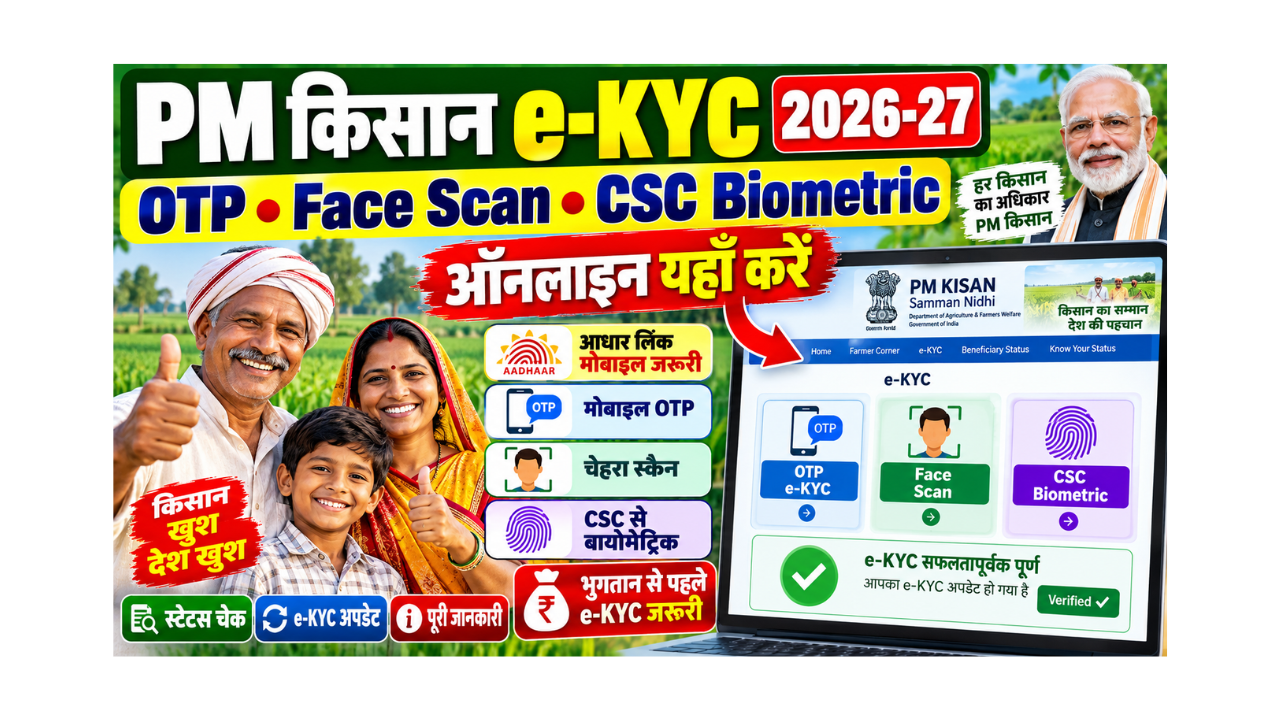

If your PM Kisan money has stopped, there is a very good chance the reason is just one small word on the portal: “eKYC: No”.
eKYC is simply the government’s way of checking that the person getting ₹2,000 is the real farmer, and that the farmer is still alive and active. It takes two to five minutes if your mobile number is linked with Aadhaar. If it is not linked, you can still finish it at a CSC with your fingerprint for a small fee.
This page explains all three ways to do PM Kisan eKYC, how to check your eKYC status, what the CSC login and biometric process looks like (for both farmers and CSC operators), whether there is a last date in 2026, and what to do when eKYC keeps failing.
PM Kisan eKYC
| Point | Details |
|---|---|
| Is eKYC compulsory? | Yes. No eKYC means no installment |
| Ways to do it | OTP on the portal, face scan on the PM-KISAN app, or fingerprint at a CSC |
| Cost | Free on portal and app; ₹15 fee at a CSC |
| Time to update | Status usually updates within 24 hours |
| National last date | No fixed national last date; it is needed before every payment |
| Next installment | 24th installment (expected October to November 2026) |
| Helpline | 155261 / 1800-115-526 |
| Official portal | Click Here |
First, Check If You Even Need to Do eKYC
Many farmers stand in CSC queues for eKYC that is already done. Check first. It takes one minute.
- Open the PM Kisan portal. To open it directly, Click Here.
- In Farmers Corner, click “Know Your Status”.
- Enter your registration number, the captcha, and the OTP sent to your mobile.
- Look at the line “eKYC Status”.
| What you see | What it means |
|---|---|
| eKYC: Yes / Done | You do not need to do anything for eKYC |
| eKYC: No | You must complete eKYC before the next installment |
Do not know your registration number? On the same page, click “Know your registration number”, enter your mobile or Aadhaar number, and you will get it on screen after OTP.
Which eKYC Method Should You Choose?
Here is the honest comparison. Pick the one that matches your situation.
| Method | Cost | What you need | Best for |
|---|---|---|---|
| OTP-based eKYC (portal) | Free | Aadhaar linked with a working mobile number | Most farmers with a phone |
| Face authentication (PM-KISAN app) | Free | Smartphone, PM-KISAN app and Aadhaar FaceRD app | When OTP does not come, or no Aadhaar-linked mobile |
| Biometric at CSC | ₹15 | Aadhaar card and your fingerprint | Elderly farmers, or when the other two fail |
Method 1: PM Kisan eKYC OTP Based (Free, From Your Phone)
This is the quickest way, as long as your Aadhaar is linked with a mobile number that is with you.
- Open pmkisan.gov.in.
- Click on “e-KYC” (it is in the Farmers Corner and at the top of the page).
- Enter your 12-digit Aadhaar number and click Search.
- Enter your Aadhaar-linked mobile number and click “Get OTP”.
- Type the OTP and click Submit.
- You will see a message that eKYC has been completed.
Small tip: If you get the message “Record not found”, it usually means your Aadhaar is not linked with your PM Kisan registration. Contact your patwari or block agriculture office to correct it.
Method 2: Face Authentication on the PM-KISAN App (Free)
This is useful for farmers whose Aadhaar is not linked with any mobile number, or whose OTP never arrives.
- Install the PM-KISAN GoI app and the Aadhaar FaceRD app from the Google Play Store.
- Open the PM-KISAN app and log in with the mobile number registered in PM Kisan.
- Open the beneficiary status page.
- If eKYC shows “No”, tap e-KYC.
- Enter your Aadhaar number and give consent for the face scan.
- Hold the phone steady, look straight at the camera in good light, and blink when asked.
- When the scan is accepted, your eKYC is done.
What usually goes wrong: poor light, a cap or spectacles with glare, or a shaky hand. Try in daylight, near a window, with your face fully visible.
Method 3: PM Kisan eKYC CSC Biometric (₹15)
If the first two methods do not work, go to a Common Service Centre (CSC) or your state’s service centre.
For Farmers: What to Take and What Happens
- Take your Aadhaar card. A mobile phone is useful, but not always needed.
- The CSC operator opens the PM Kisan service and enters your Aadhaar number.
- You place your finger on the biometric scanner.
- Once your fingerprint matches, eKYC is done.
- The official fee is ₹15. Do not pay more for eKYC.
To find your nearest CSC, Click Here.
For CSC Operators: PM Kisan eKYC CSC Login Biometric Process
If you run a CSC (VLE), this is the usual flow:
- Log in to the Digital Seva portal with your CSC ID. To open it, Click Here.
- Search for the PM Kisan service in the services list.
- Choose the eKYC / Aadhaar biometric authentication option.
- Enter the farmer’s Aadhaar number and take the farmer’s consent.
- Capture the fingerprint on your registered biometric device (make sure the RD service is active).
- Submit and give the farmer a receipt of the ₹15 charge.
Common VLE issue: “Device not ready” errors almost always come from an expired RD service on the fingerprint device. Renew the RD service before the farmer arrives.
PM Kisan eKYC Status: When Will It Show “Yes”?
After any method, the official note says the status usually updates within 24 hours. Check again the next day on Know Your Status.
| If after 2 to 3 days it still shows “No” | Do this |
|---|---|
| You used OTP and saw a success message | Wait one more day, then call 155261 |
| Face scan failed many times | Use CSC biometric instead |
| CSC fingerprint failed | Try another finger, or update your biometrics at an Aadhaar centre |
| “Aadhaar not matching” error | Your name in PM Kisan and Aadhaar may differ; get it corrected at the agriculture office |
PM Kisan eKYC Update: Do You Need to Do It Again?
Many farmers ask this. The safe answer:
- If your status shows “Yes”, you usually do not need to repeat eKYC.
- If your status changes to “No” later (for example, after a data correction or a fresh verification drive), do it again.
- If you change your Aadhaar-linked mobile number, your eKYC stays valid, but update the new number on the PM Kisan portal so you keep getting OTPs.
PM Kisan eKYC Last Date 2026
There is no single national last date fixed for eKYC. The rule is simple: without eKYC, your installment will not be released.
You may have seen messages saying “last date 30 June 2026”. Some reports and states did ask farmers to finish eKYC before the 23rd installment (released on 20 June 2026), but the requirement does not end on one date. It applies to every installment.
| Installment | Date | eKYC needed? |
|---|---|---|
| 23rd | 20 June 2026 (released) | Yes |
| 24th | Expected October to November 2026 | Yes |
| 25th | Expected December 2026 to March 2027 | Yes |
So, if your status shows “No” today, do it this week, not at the last minute when CSCs are crowded.
PM Kisan eKYC Pending List Village Wise
People often search for a “village-wise eKYC pending list”. Here is what actually exists:
- The village-wise beneficiary list on pmkisan.gov.in (Farmers Corner, then “Beneficiary List”) shows the names of beneficiaries in your village.
- The eKYC status of each farmer is shown when that farmer checks Know Your Status with their own registration number or mobile.
- Pending eKYC lists are usually shared by the state agriculture department with village-level officials (like the agriculture assistant, patwari or panchayat) for door-to-door drives.
What you can do: Ask your village agriculture worker or panchayat office whether your name is on the pending list. Better still, check your own status in one minute using Know Your Status.
How to Check the Village-wise Beneficiary List
- Open pmkisan.gov.in and click “Beneficiary List” in Farmers Corner.
- Select state, district, sub-district, block and village.
- Click “Get Report”.
- Find your name in the list.
Problems Farmers Commonly Face (and Fixes)
| Problem | Likely reason | Fix |
|---|---|---|
| OTP not coming | Aadhaar not linked to this mobile | Use face scan or CSC biometric |
| “Invalid Aadhaar” | Typing mistake | Re-enter carefully |
| Fingerprint not matching | Worn fingerprints (common in older farmers) | Try face authentication, or update biometrics at an Aadhaar centre |
| eKYC done but money still not received | Land seeding or Aadhaar-bank seeding is “No” | Check the other lines in Know Your Status and fix them |
| CSC charging ₹50 or ₹100 | Overcharging | The official fee is ₹15; complain to the helpline or district CSC manager |
PM Kisan Helpline
| Purpose | Contact |
|---|---|
| PM Kisan helpline | 155261 / 011-24300606 |
| Toll-free | 1800-115-526 |
| [email protected] | |
| Chatbot | Kisan e-Mitra on pmkisan.gov.in |
Frequently Asked Questions (FAQ)
How can I do PM Kisan eKYC?
You can do it in three ways: OTP on pmkisan.gov.in (free), face scan on the PM-KISAN app (free), or fingerprint at a CSC (₹15).
How do I check my PM Kisan eKYC status?
Go to pmkisan.gov.in, click “Know Your Status”, enter your registration number, captcha and OTP, and look at the eKYC status line.
What is PM Kisan eKYC OTP based?
It is eKYC done on the PM Kisan portal using an OTP sent to your Aadhaar-linked mobile number. It is free and takes a few minutes.
How much does a CSC charge for PM Kisan eKYC?
The official fee for biometric eKYC at a CSC is ₹15.
What is the PM Kisan eKYC CSC login process?
CSC operators log in to the Digital Seva portal with their CSC ID, open the PM Kisan service, choose biometric eKYC, enter the farmer’s Aadhaar, and capture the fingerprint.
Is there a PM Kisan eKYC last date in 2026?
There is no single national last date. eKYC is needed before every installment, so complete it as soon as your status shows “No”.
Where can I see the PM Kisan eKYC pending list village wise?
Pending lists are usually with state agriculture officials and village-level workers. You can check your own eKYC status anytime using Know Your Status.
Do I need to do eKYC again every year?
Not usually. If your status shows “Yes”, you do not need to repeat it unless it changes to “No” later.
My fingerprint is not working at the CSC. What should I do?
Try face authentication on the PM-KISAN app. If that also fails, update your biometrics at an Aadhaar Seva Kendra and try again.
I completed eKYC but did not get my installment. Why?
Check the land seeding and Aadhaar-bank seeding lines in Know Your Status. If either shows “No”, fix it with your agriculture office or bank.
Can someone else do my eKYC?
eKYC must be done with your own Aadhaar OTP, your own face or your own fingerprint. Another person can help you operate the phone, but the verification must be yours.
How long does it take for eKYC status to update?
Usually within 24 hours after you finish eKYC.
Sources
- PM-KISAN official note on modes and process of eKYC (pmkisan.gov.in), including the ₹15 CSC fee and face authentication steps
- PIB: 23rd PM-KISAN installment released on 20 June 2026
- Indian Pay Calculator report on the eKYC reminder before June 2026 (marked as “as reported”)
- Official portal pmkisan.gov.in: Know Your Status and Beneficiary List
Important Links
These important links are collected for you by yojanabot.com. Click on any link to open the page.
| What You Need | Link |
|---|---|
| Application Form (PM Kisan eKYC / New Registration) | Click Here |
| Official Site (PM Kisan Portal) | Click Here |
| PM Kisan eKYC Status (Know Your Status) | Click Here |
| CSC Login (Digital Seva, for operators) | Click Here |
| Find Nearest CSC | Click Here |
| PM Kisan 24th Installment Date | Click Here |
| Other Yojana Info | Click Here |
| Home Page | Click Here |